SplitByAdil
Split bills. See what you really spent.
- What I did
- Design and build
- For
- Friends, flatmates, trips
- When
- 2026
Money on a trip gets messy fast
Someone pays for dinner, someone else grabs the cab, and by day three nobody knows who owes what. Splitwise sorts that out for the group.
But nothing sorts it out for you. Your budget app still thinks you spent the whole ₹1,950 dinner, when your share was ₹650. I wanted one app that gets both right, in words my friends would actually understand.
A weekend in Goa
Three friends, one weekend: a beach dinner, a scooter and a cab to the airport.
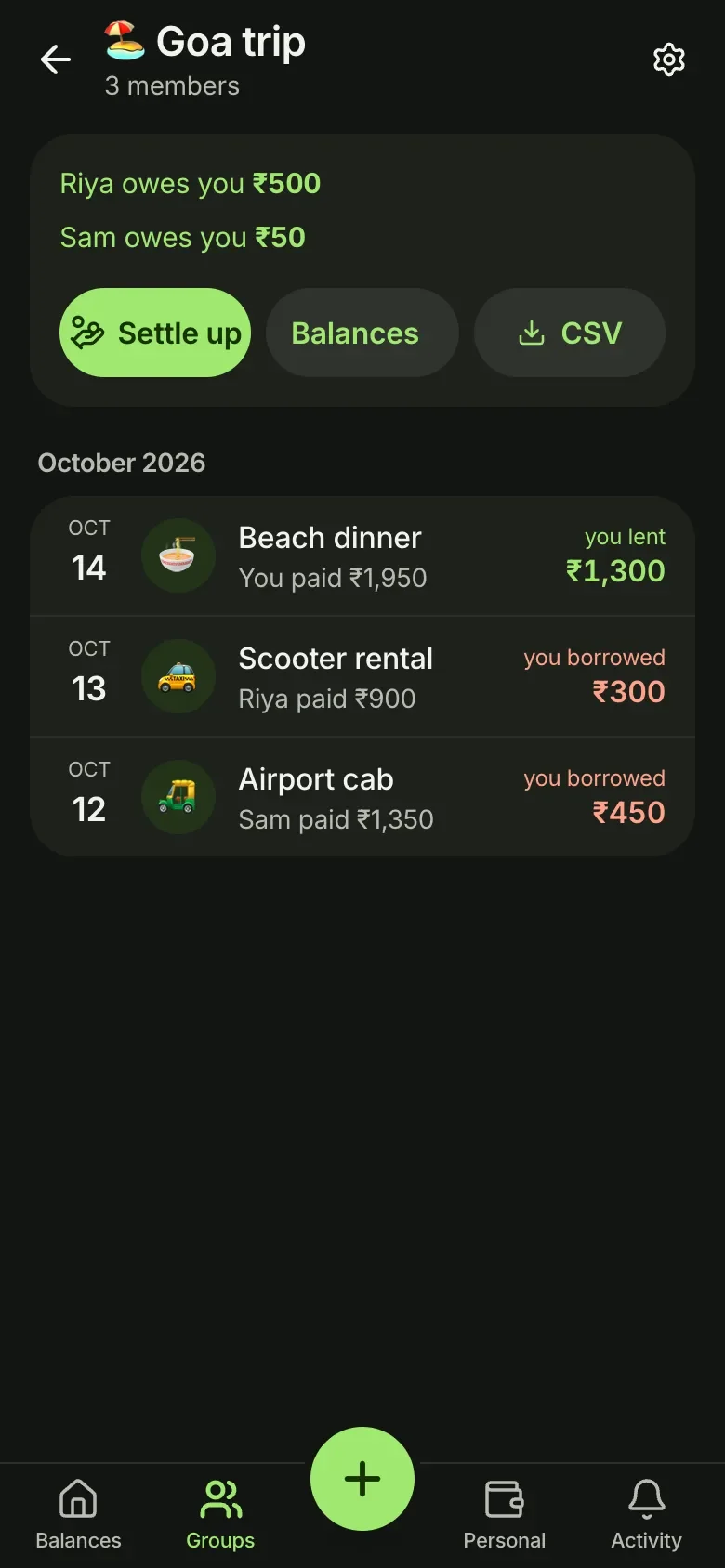
1The trip. Every balance reads like a sentence: Riya owes you ₹500.
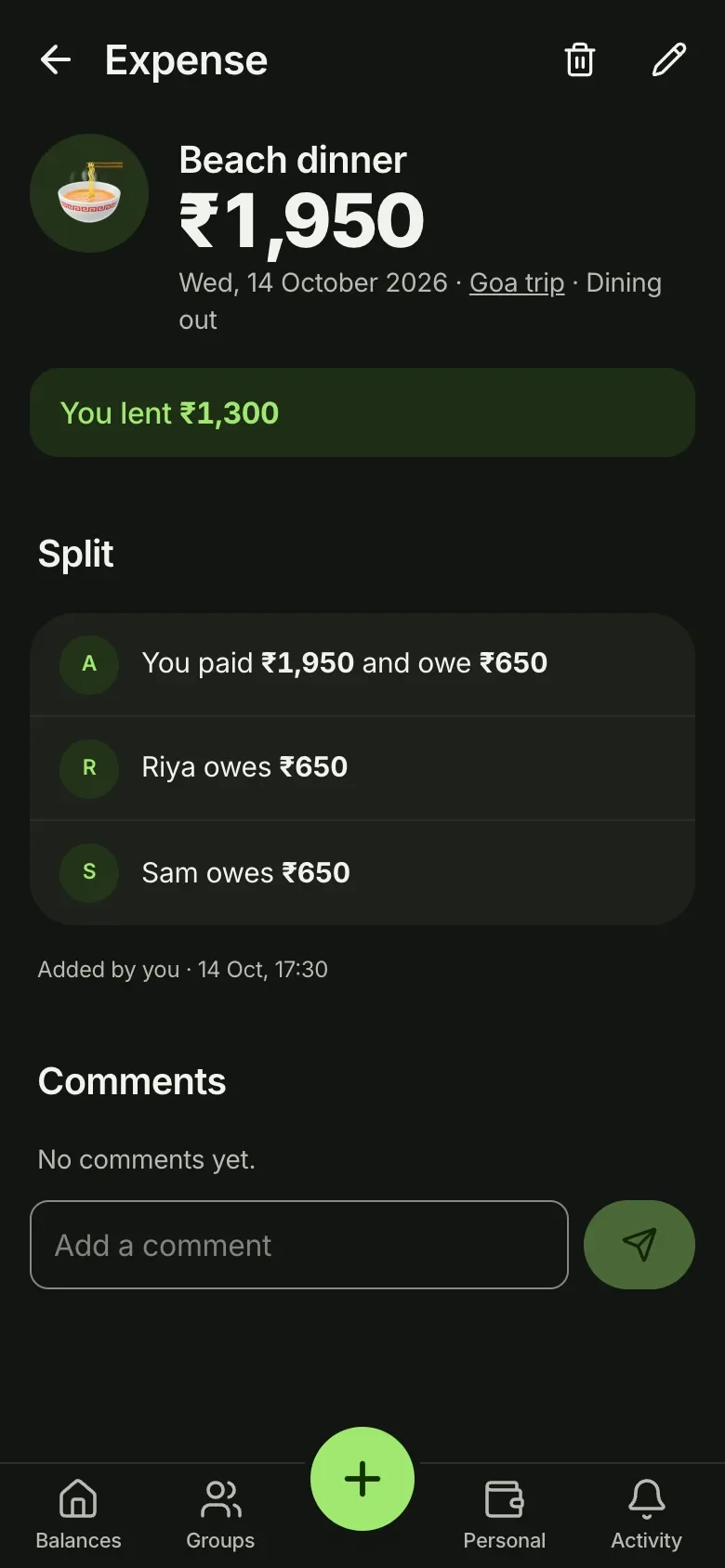
2The ₹1,950 dinner, with who paid and what each person owes.
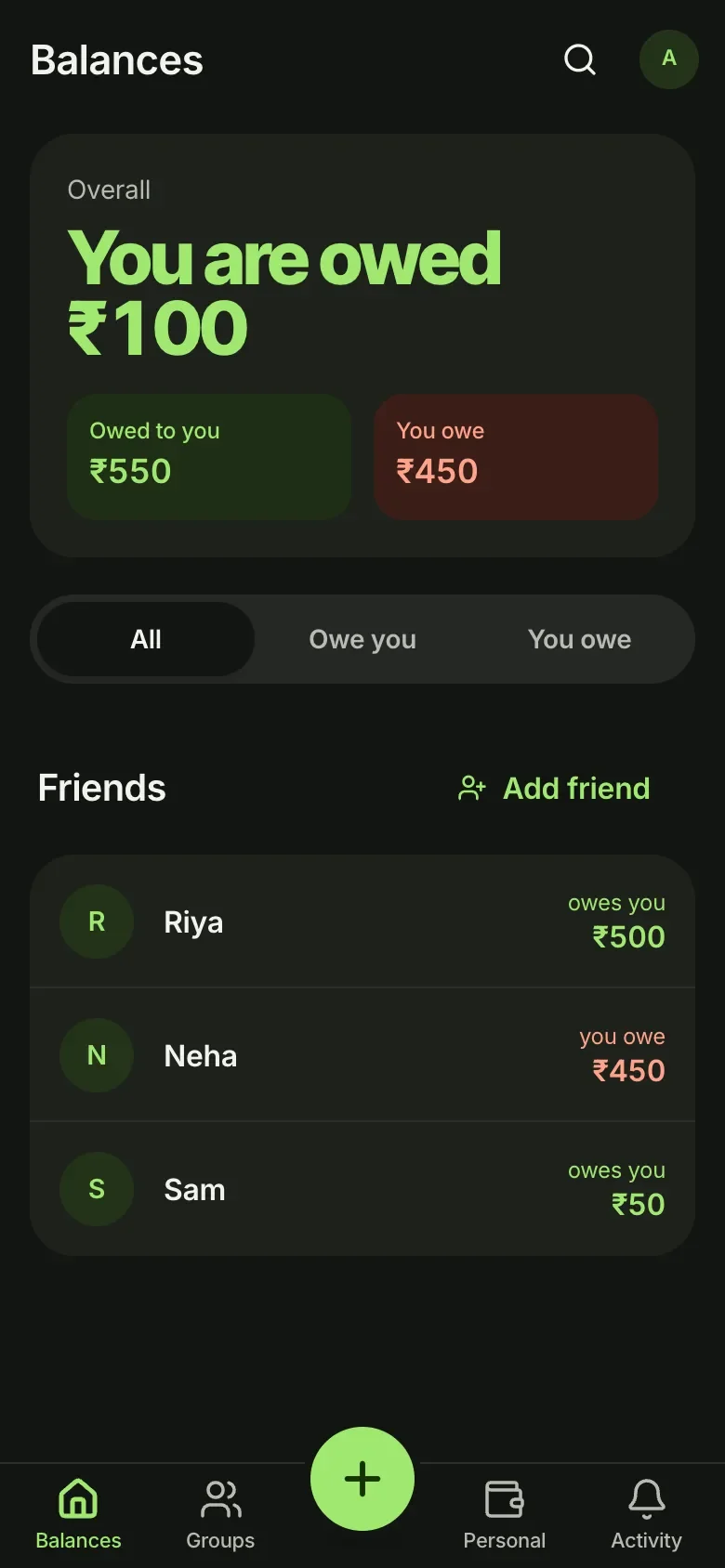
3All your balances, across every trip and flat, in one place.
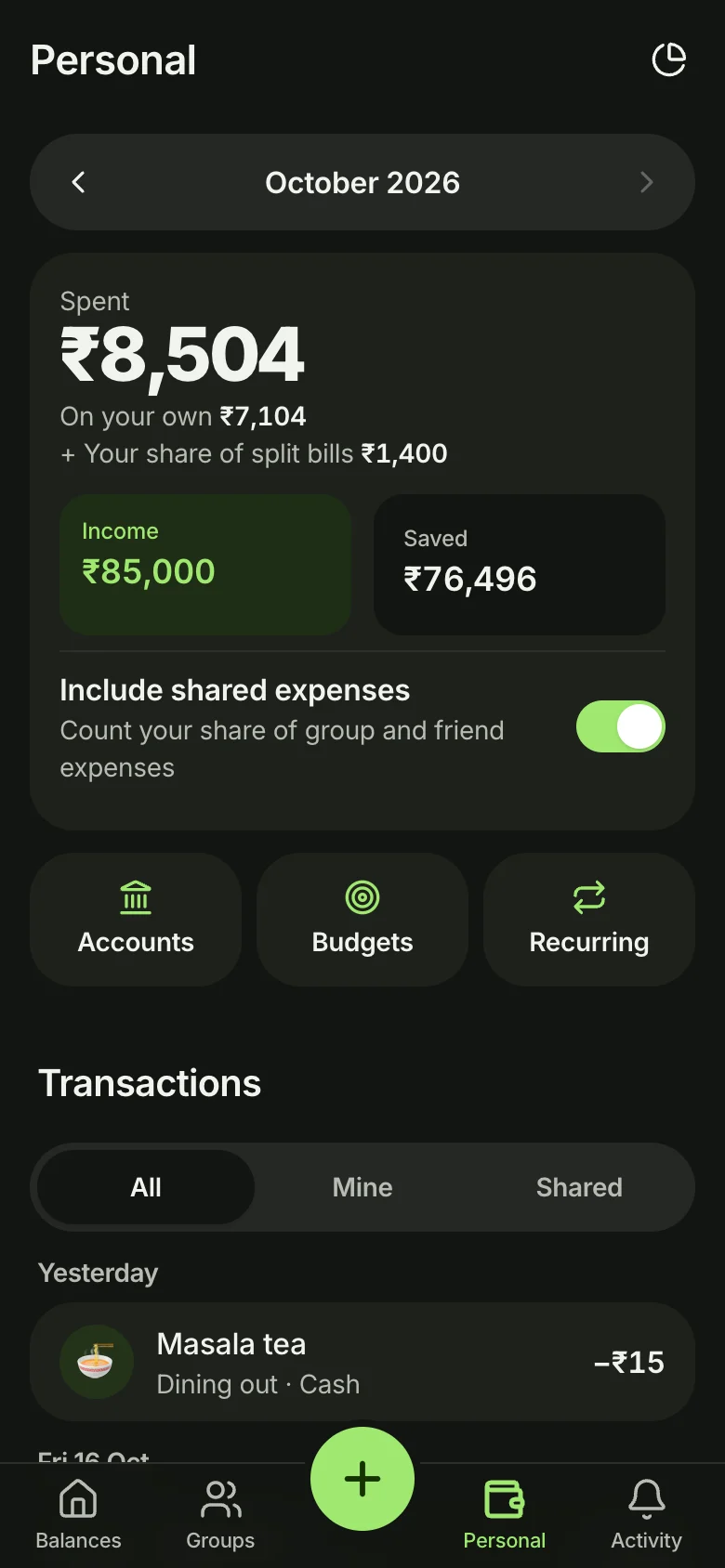
4Back home, your own month. Your ₹650 share is already counted.
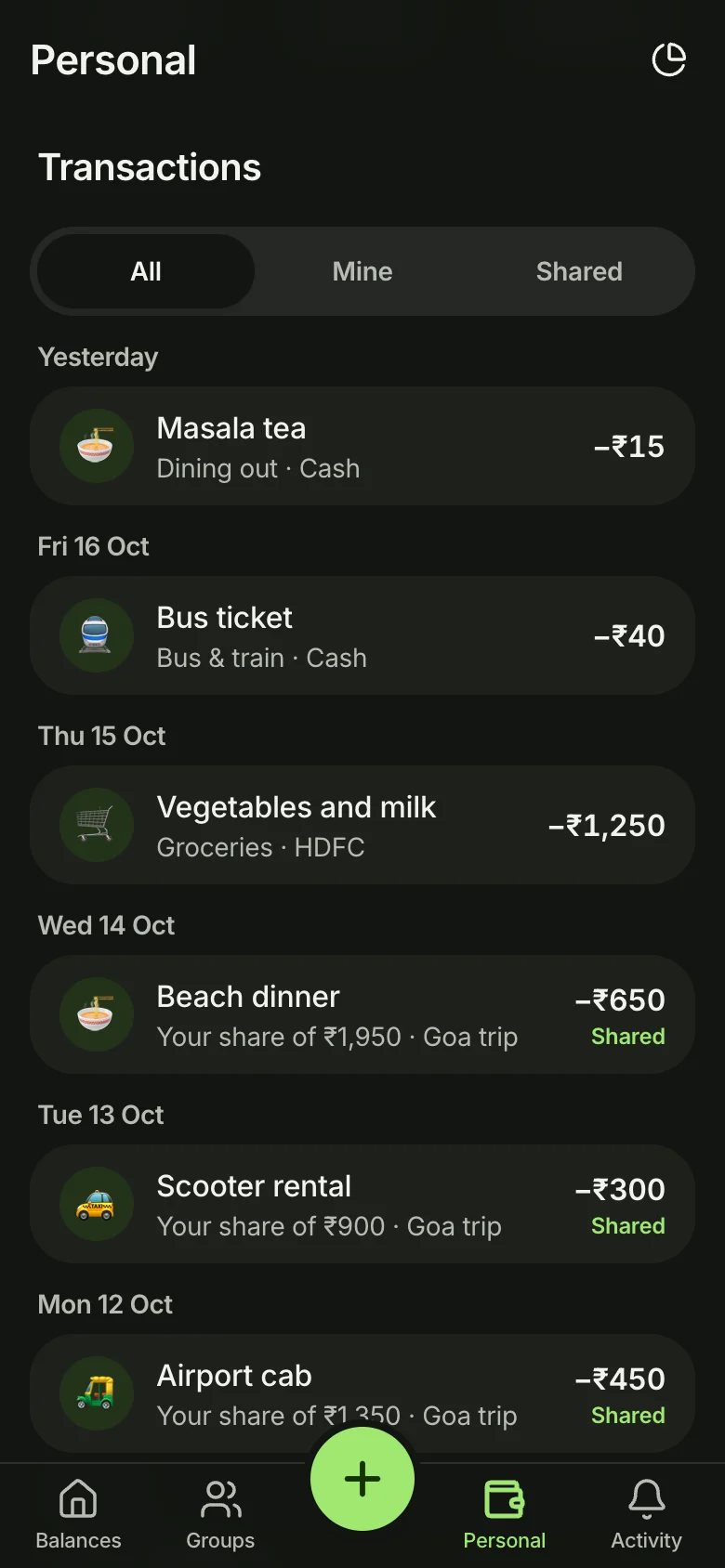
5Each share sits in your list next to your chai, tagged Shared.
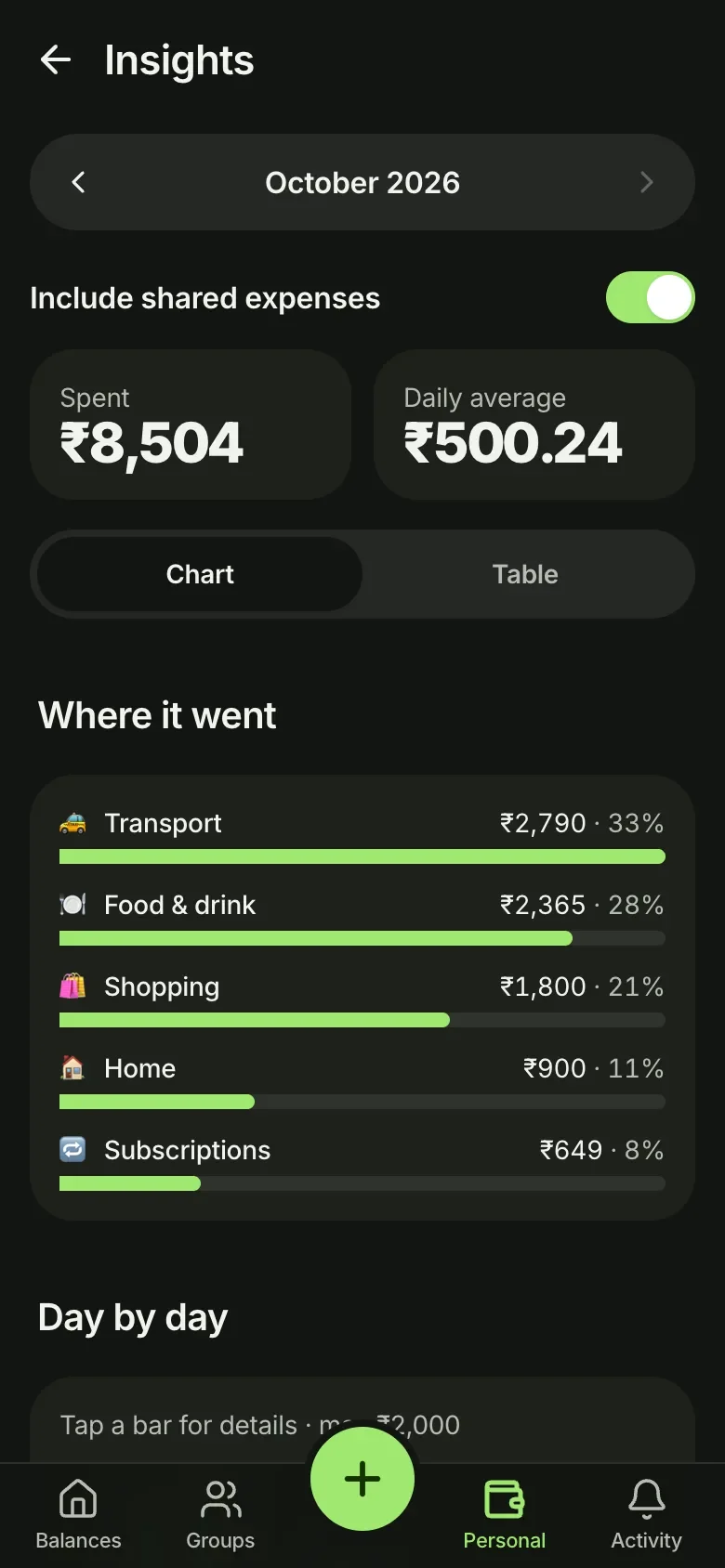
6And a clear picture of where the money went.
Swipe to follow along
A total you can check
- 1
Spent is shown as a sum you can check. I added this after I couldn't explain my own total.
- 2
Turn shared bills off, and the total and the list change together, so they never disagree.
- 3
Show everything, only your own spending, or only your shares.
- 1
Shares look like your own entries, with one small tag to tell them apart.
- 2
Each one says what the whole bill was. Tap it and the bill opens, even if that friend is no longer on your list.
Small things
- It works offline. Add a bill in a basement with no signal. It syncs when you're back.
- Split a grocery order item by item. Pick the invoice PDF from Blinkit and every item shows up. Tap who had what. It all happens on your phone.
- Private bills. Each person sees only their own share. Only you see the whole thing.
- Your own spending can be locked. It's encrypted on your phone before it's saved, so nobody else can read it, including me.
- Nobody can add you without your yes. Your email only shows to people you've accepted.
What a ₹5 payment taught me
Settle up used to have a Pay with UPI button. It opened Google Pay with the amount already filled in. On my own phone, my bank blocked it. For ₹5.
So I tried 24 versions of the link, across four apps. Every single one failed. Turns out banks block person-to-person payments that start from a link, because that's how most UPI scams work.
So I'm changing settle up to work with that rule, not against it. It'll open your UPI app and let you pay the way you already do. The app keeps the record. It doesn't need to move the money.
Where it is now
It's live, and a group of my friends use it. Next, I'm focusing on what keeps people coming back after a trip is settled.